
stats.fm for Spotify
StatsFM B.V.Music & Audio
4.03.33K Reviews
- Version
- 2.9.0
- Installs
- 10.00M
- Age Rating
- Teen
Screenshots
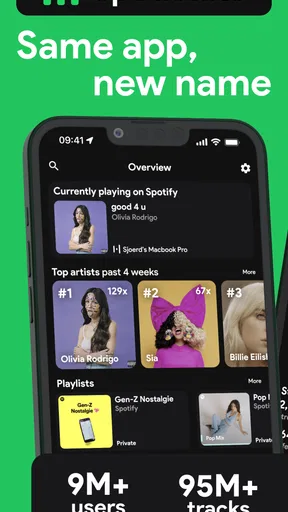
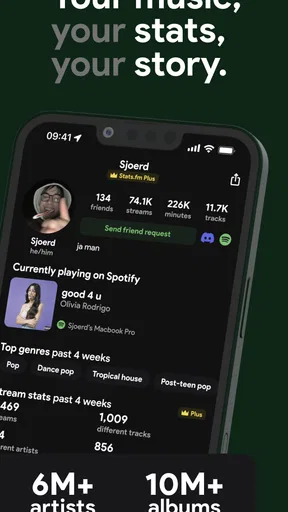
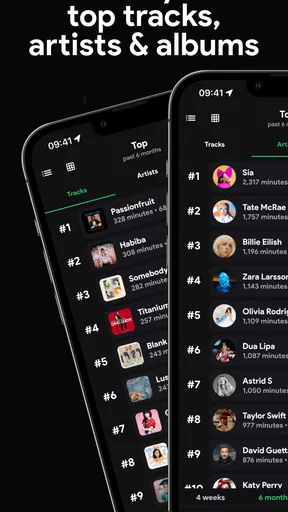
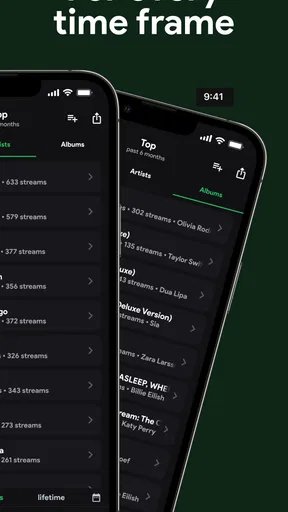
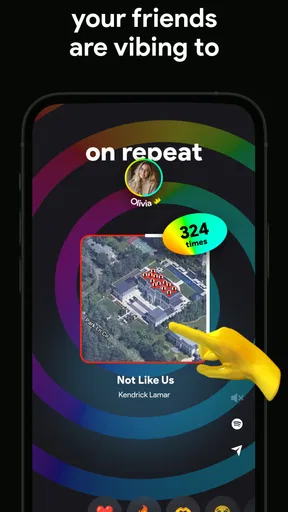
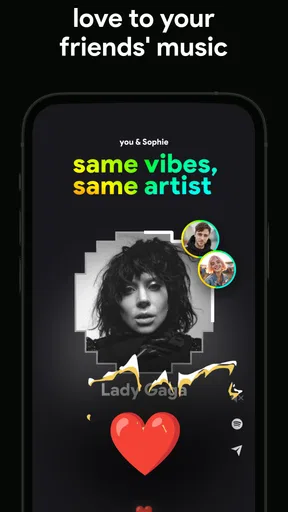
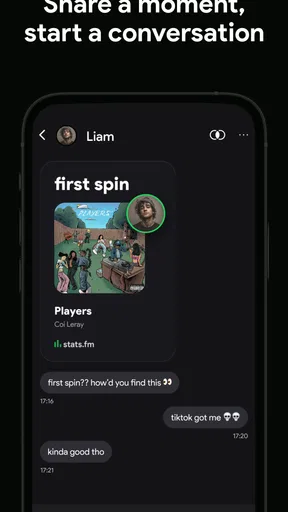
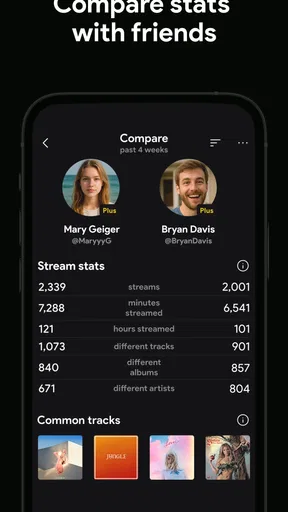
Our Review of stats.fm for Spotify
 Analysis by Appyee
I’m always curious about the music I return to without noticing: the artist I play on every commute, the album that quietly takes over a week, or the old track that turns up after months away. stats.fm for Spotify is made for that kind of curiosity. It turns listening activity into something I can browse, rather than leaving me to rely on memory or wait for an end-of-year recap.
It is a free music and audio app from StatsFM B.V., with optional in-app purchases. The app has a 4.3 average from around 106,000 ratings and more than 5 million installs, so it has clearly found an audience among Spotify listeners who like looking beyond the current playlist. I’d think of it less as a music player and more as a companion for examining what I already listen to.
Getting Started with stats.fm
I’d make the first visit easier by deciding on one small question before opening the charts—perhaps which artist has stayed in rotation lately, or what I played during a particular stretch. That keeps the numbers grounded in something useful instead of turning setup into a tour of every screen. Once I have that first clue, I can move on to comparing time ranges and making sense of the patterns.
What to expect from your first visit
First things first, let’s talk about getting this thing set up. The installation process was as smooth as silk. Once you download the app, it quickly syncs with your Spotify account. You’re not left hanging with complicated setup procedures; just a couple of taps and you’re ready to dive into a world of music analytics.
What I loved about the initial setup was how intuitive it felt. You’re guided through the process with clear instructions, and before you know it, you’re exploring your music stats in all their glory.
It helps to arrive with a small question in mind instead of trying to inspect every screen at once. I might start by wondering which artist has been following me from one season to another, or whether my recent listening has been more varied than it feels. That gives the numbers a purpose: I’m looking for a pattern, not simply scrolling through totals.
Finding a first useful insight
Now, onto the juicy bits. With stats.fm, you can get a comprehensive breakdown of your listening habits. Want to know your top artists, songs, or genres? This app lays it all out in a sleek, easy-to-navigate interface. It’s like having a personal Spotify Wrapped available anytime you want!
The app tracks your listening trends over different time periods – whether it’s daily, weekly, monthly, or even annually. I found it fascinating to see how my music preferences evolved over time. Those detailed insights made me appreciate the diversity in my playlists.
For a first successful check-in, I’d pick one time period and compare its top tracks with what I expected to see. If a familiar artist dominates, that can confirm a real listening habit; if an unexpected name appears, it gives me a reason to revisit a song or explore an album. Looking at one slice at a time is more useful than treating every ranking as a verdict on my taste.
A practical routine is to check after a normal week rather than immediately after installing. One unusual day can skew the impression of what I usually play, while a broader stretch makes recurring choices easier to spot. I also like using the results as a prompt for a playlist of my own: keep the tracks I still enjoy, then deliberately add something outside the pattern.
History, playlists, and sharing
One standout feature is the ability to view your listening history. You can go back in time and see exactly what you were jamming to on any given day. This kind of data is not only fun to look back on but also helps you rediscover forgotten favorites.
That history is especially handy when a song is stuck in my head but I can’t remember its title. I can use the day or stretch of time when I heard it as a clue, then scan what I played around then. It’s a different kind of music search: instead of guessing lyrics or browsing an artist page, I’m retracing my own listening.
Another nifty feature is the playlist generator. Based on your listening habits, the app can suggest playlists that are tailor-made for your taste. It’s like having a DJ that understands your vibe perfectly.
I’d treat those suggestions as a starting point, not a perfect substitute for choosing tracks myself. Recommendations based on familiar listening can be comfortable, but comfort can also mean hearing the same style again. When I want discovery, I’d use a suggested playlist as a base and then deliberately branch out to an artist or mood I haven’t played much.
And let’s not forget the social aspect. You can share your stats with friends or compare your music taste with theirs. It’s a fun way to engage with fellow music enthusiasts and maybe even discover new tunes.
Sharing works best when the comparison is an invitation to talk rather than a competition over who listens more. A friend’s top artist can be a natural lead into swapping recommendations, while a mismatch in taste is often more interesting than two identical lists. If you prefer keeping your listening private, you can simply use the personal insights and leave the social side alone.
How it fits into everyday listening
Performance-wise, the app is a champ. It runs smoothly without any noticeable lag or crashes on my device. The interface is clean and user-friendly, with just the right amount of information displayed. You won’t feel overwhelmed by data, which is a big plus for me.
Usability is where stats.fm shines. Even if you’re not tech-savvy, you’ll find navigating through the app a breeze. Everything is laid out logically, and the visuals are appealing without being cluttered.
Here’s the kind of everyday use I find most convincing: after a week of listening on the way to work, I open the app during a quiet moment and check which tracks kept coming back. One song might remind me of an album I meant to finish; an artist near the top might point me toward a concert playlist or a deeper catalog listen. I can then return to Spotify to play music, while stats.fm gives me a clearer view of the habits behind those choices.
That distinction matters when comparing it with the usual alternatives. Spotify itself is the obvious place to play music and manage playlists, but stats.fm is for people who want a more focused view of their listening patterns between occasional recap moments. A general music discovery app may be better if the main goal is finding unfamiliar artists; stats.fm’s particular appeal is looking closely at the listening already connected to your Spotify account.
There is a trade-off in that focus. If you rarely wonder what you have been listening to, the charts may feel like an extra layer rather than a daily need. And if you want one app to handle playback, library management, and discovery, stats.fm is not a replacement for Spotify. I’d install it for reflection and browsing, not expect it to become the center of my listening routine.
Small details that make the results more useful
One useful habit is to compare time ranges only when there is a reason to do so. A short period can show what is on repeat right now; a longer one can reveal the artists that remain in rotation even as current favorites change. Those answer different questions, so I wouldn’t read a weekly list as proof of a long-term preference.
I’d also use listening history to recover context, not just titles. Finding a track from a particular day can bring back the playlist or mood around it, which is useful when I want to rebuild a sequence rather than save one song. That makes the history more than a novelty, especially for someone who listens while working, travelling, or winding down and later forgets what played.
One limitation of any listening-stat app is that a chart can look more definitive than the habits behind it. Background music, a shared listening session, or one album played repeatedly can shape what rises to the top. I read the rankings as evidence of what happened, not as a complete account of what I love. That modest caution makes the insights more enjoyable and less likely to turn into a scorecard.
It is also worth deciding what you want from the app before exploring optional purchases. The app is free to start, while in-app purchases range from under a dollar to several hundred dollars per item. I’d first see whether the available views answer the questions I actually have; there’s little value in paying for more depth if I only wanted a quick look at my favorite artists. The current version is 1.13.5, and the app is rated for teens.
Who will enjoy it, and who may not
I’d recommend trying it if you use Spotify regularly and enjoy comparing your current listening with your longer-term habits. It suits people who build playlists around moods, revisit albums, or like sharing music conversations with friends. It can also be useful for anyone who has a song in mind but needs their own listening history to jog their memory.
I’d skip it if music stats sound more like homework than entertainment, or if you want a service that independently plays and organizes music. It is tied to Spotify listening, so it makes most sense when Spotify is already where your music activity happens. Listeners who mainly want fresh recommendations may be better served by Spotify’s own discovery tools or another service built around finding new music rather than analyzing past plays.
If you are wondering whether you need to be an analytics enthusiast, I don’t think so. The most approachable use is simply checking a favorite artist or revisiting a stretch of listening. The deeper comparisons are there for people who want them, but a first-time user can get value from one small question and stop when it has been answered.
My recommendation
In conclusion, stats.fm is a strong fit for anyone who takes their music seriously. It turns your Spotify account into a treasure trove of insights, allowing you to explore your listening habits like never before. Whether you’re a casual listener or a hardcore music fan, this app offers something for everyone.
So, if you’re looking to get more out of your Spotify experience, give stats.fm a try. It’s like opening a new chapter in your music journey, and trust me, you won’t be disappointed.
Verdict
Strengths of stats.fm for Spotify
- Intuitive user interface for easy navigation.
- Detailed insights into listening habits.
- Customizable stats sharing options.
- Connects seamlessly with Spotify account.
- Regular updates with new features.
Limitations of stats.fm for Spotify
- Limited features in the free version.
- Occasional syncing issues with Spotify.
- Requires Spotify Premium for best use.
- No offline mode available.
- Some data visualization options are basic.
Similar Picks in This Category
View All
YouTube Music
Google LLC4.4

Samsung Music
Samsung Electronics Co., Ltd.3.8

Spotify: Music and Podcasts
Spotify AB4.3

JioSaavn - Music & Podcasts
Saavn Media Limited4.3

Lark Player:Music Player & MP3
Lark Player Studio - Music, MP3 & Video Player4.6

StarMaker: Sing Karaoke Songs
SKYWORK AI PTE. LTD.4.3
Frequently Asked Questions
What is stats.fm for Spotify?
Stats.fm for Spotify is an app designed to provide users with detailed insights into their Spotify listening habits. It showcases statistics like top artists, tracks, and genres, and even allows users to explore their music trends over time. It’s perfect for users who love to analyze their music preferences.
How does stats.fm for Spotify access my listening data?
Stats.fm connects to your Spotify account via the Spotify API, which securely allows the app to access your listening history. Users must grant permission for the app to retrieve data, ensuring privacy and control. The app does not store passwords or sensitive information, focusing solely on music-related data.
Is stats.fm for Spotify free to use?
Stats.fm offers both free and premium versions. The free version provides basic features like viewing top artists and tracks, while the premium version unlocks advanced insights and additional customization options. Users can choose based on their preference and how deeply they want to dive into their listening habits.
Can I share my stats from stats.fm for Spotify?
Yes, stats.fm allows users to easily share their music statistics on social media or with friends. The app provides shareable graphics and summaries, making it simple to showcase your musical tastes. This feature is popular among users who enjoy connecting with others over shared music interests.
Does stats.fm for Spotify work on all devices?
Stats.fm is available for both Android and iOS devices, ensuring compatibility with a wide range of smartphones and tablets. However, users should ensure their device meets the app's system requirements and that they have the latest version of Spotify installed for optimal performance.
